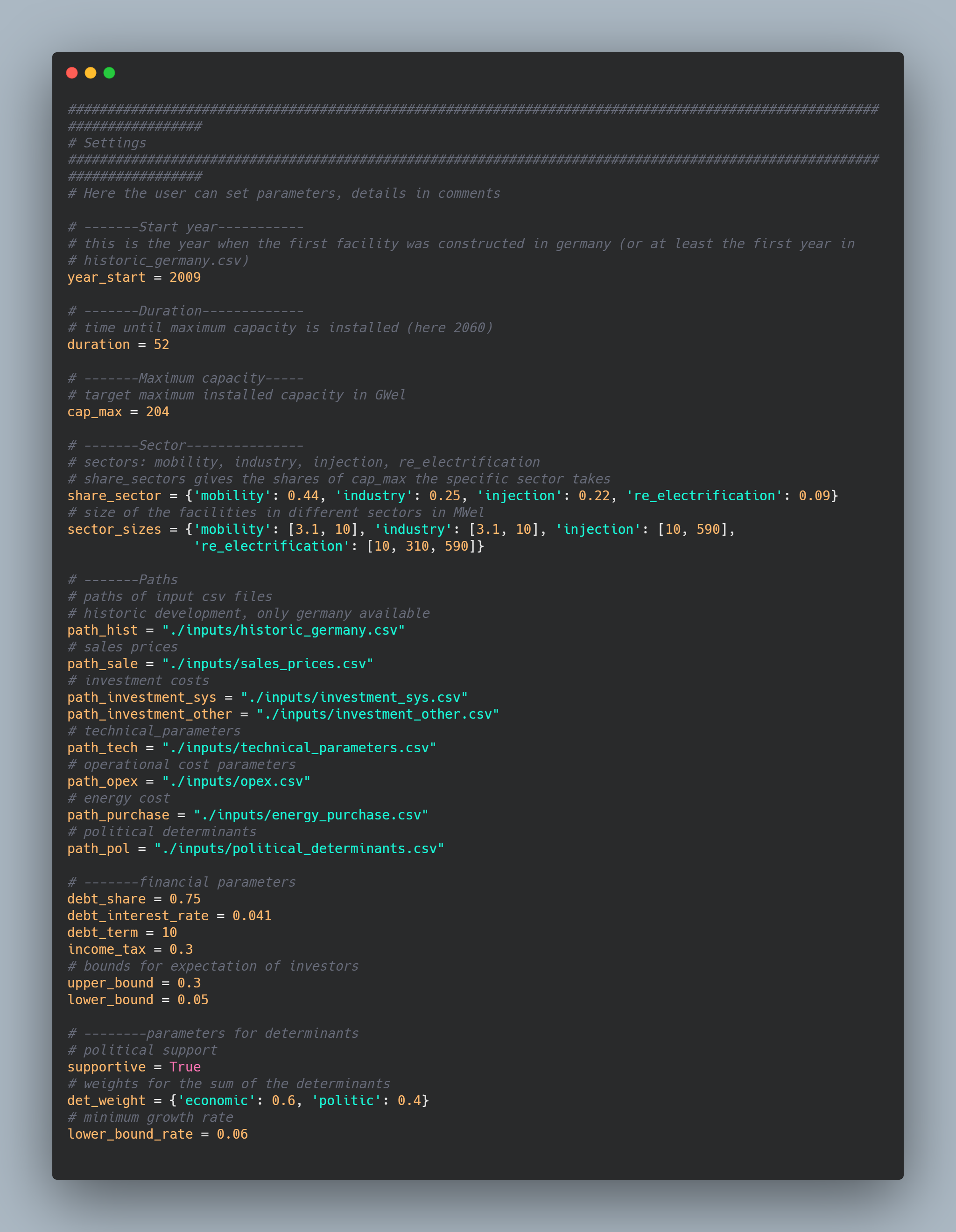
Quick Start
Installation Passenger Cars
Download the code from https://www.github.com
Hint: If working in Spyder IDE, please set the working directory to the root folder (Inve2st_Passenger_car).
Please use Python 3.7. Following python modules are required and should be installed before running the framework.
- numpy
- scipy
- pandas
- scikit-learn
- psycopg2
Minimum working example
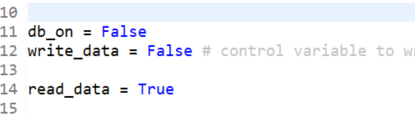
To run the simulation for passenger cars car_simulation.py needs to be executed. If no own PostgreSQL Database – according to the Inve2st schema is set up, the model can be run without database – reading in csv data from the Input folder. Within the car_simulation.py the following settings need to be put to work with csv files:

The csv files are provided for different cases:
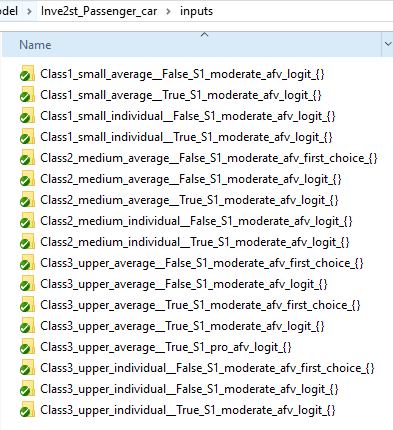
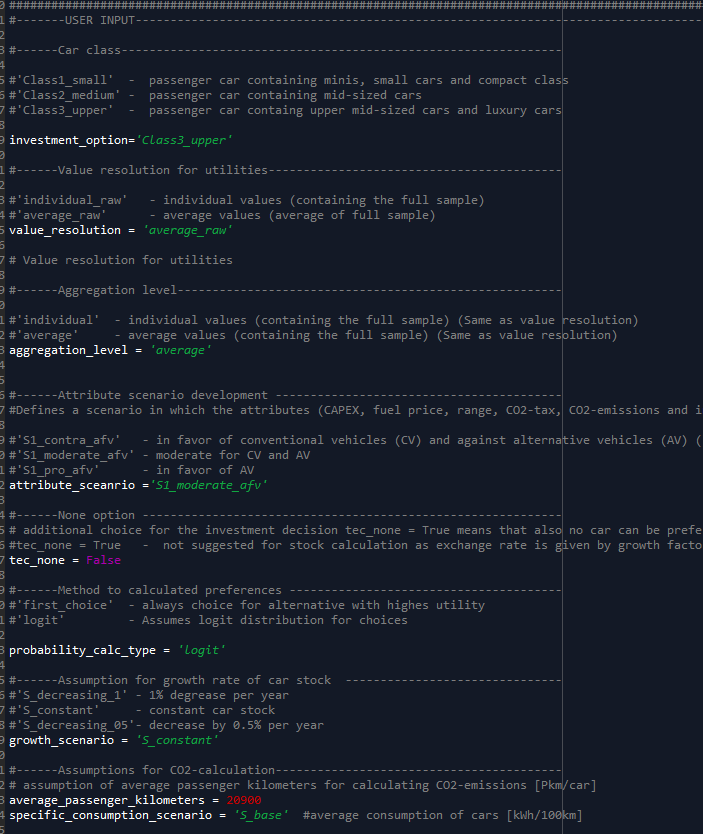
The options (scenarios) that are available are put as comments in the car_simulation.py and can be replaced by the other available options(e.g. investment_option = ‘Class1_small’ can be replaced by investment_option = ‘Class2_medium’). The folder name in the input order shows which scenarios are available by default. A detailed description of the data can be found under “Data and Database”. A short description of the options is provided in the code. In the folder inputs/scenario_data an excel sheet is provided containing attribute developments for 4 different scenarios, which can be filtered an replaced in the input/query_attribute_level_per_year.csv - if the scenario is not supplied by default. Ensure that the folder name is build according to the “folder_name” specification
All user settings can be made in the car_simulation.py
Installation PV-homestorage systems
Download the code from https://www.github.com
Hint: If working in Spyder IDE, please set the working directory to the root folder (Inve2st_PV_HSS).
The tool was written in python 3.7. Following python modules are required and should be installed before running the framework.
- os
- json
- pandas
- plotly.graph_objects
- plotly.io
- plotly.subplots
Minimum working example
To run the simulation for PV-homestorage systems calc_UCM_economics.py needs to be executed. If no own PostgreSQL Database – according to the Inve2st schema is set up, the model can be run without database – reading in csv data from the input folder.
The csv files for different cases are provided in inputs folder.
The options (scenarios) that are available are put as comments in the calc_UCM_economics.py and can be replaced by the other available options. iterables_on is used for plotting options so if iterables are specicified True is set, else False. The folder name in the input order shows which scenarios are available by default. A detailed description of the data can be found under “Data and Database”. A short description of the options is provided in the code.
All user settings can be changed in the calc_UCM_economics.py, a description is in API.

Installation Power-to-Gas
The tool was written in python 3.7, the used packages are listed in requirements.txt. For a meaningful package and dependency management the use of virtual environments is recommended. The installation is described when working with Anaconda. To install the program perform the following steps:
- Download the code from https://www.github.com
- Open Anaconda prompt
- Create virtual environment: ‘conda create -n name_of_environment python=3.7’
- Activate virtual environment: ‘conda activate name_of_environment’
- Install required packages: ‘pip install -r path/requirements.txt’
- Don’t forget to use the generated interpreter as project interpreter